Free AI Photo Editor Online
Fast, Private & Zero Ads
Photopiya is a modern, WebGPU-accelerated free AI photo editor. Edit PSD files, enhance photos, apply smart filters, and design graphics directly in your browser with zero ads.
No signup required. Opens instantly in your browser.
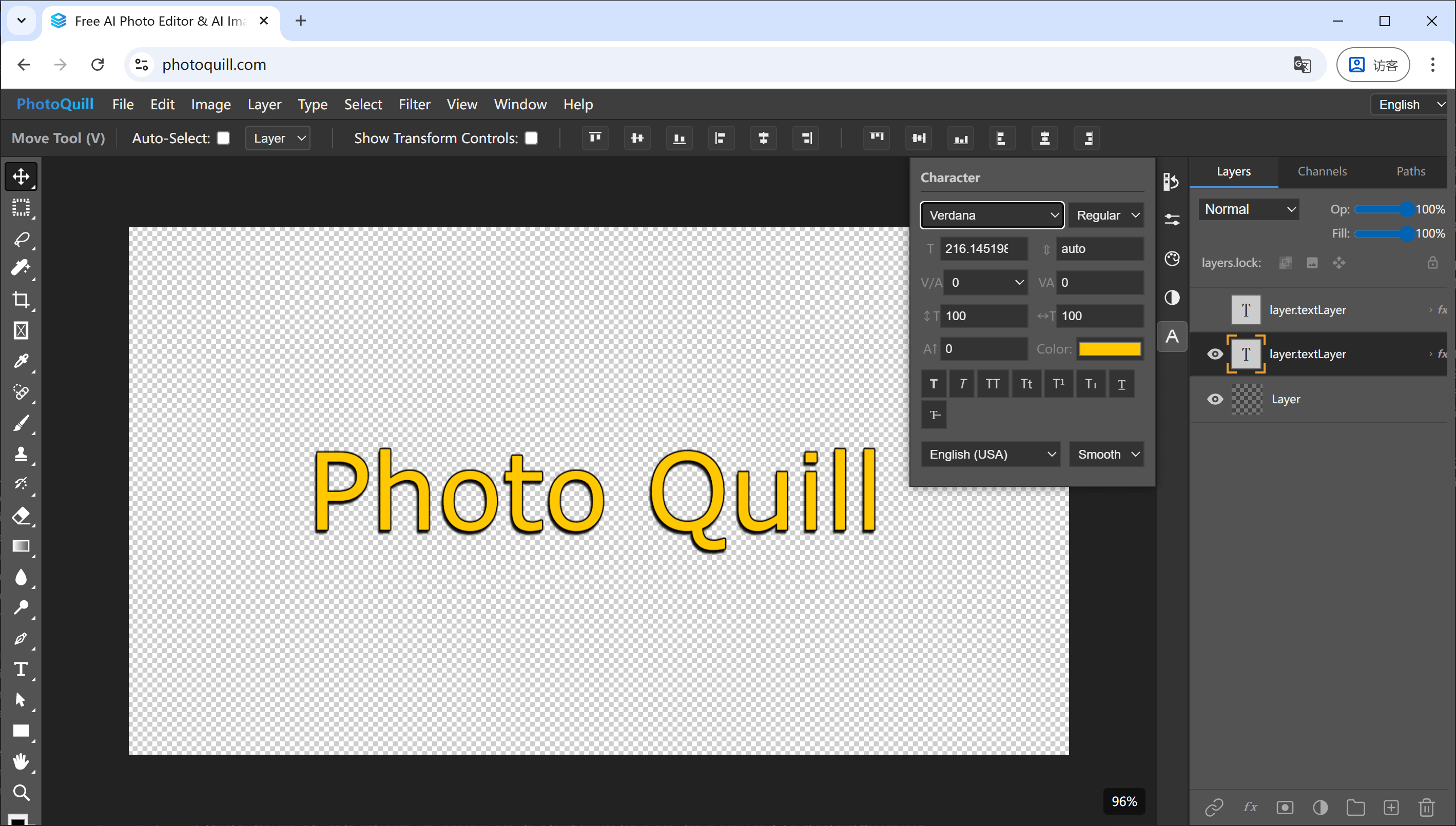
How Photopiya AI Photo Editor Compares to Traditional Tools
Most online photo editors rely on outdated CPU rendering and clutter your screen with ads. Here's how our modern AI photo editor delivers a superior experience.
| Feature | Traditional Online Editors | Photopiya AI Photo Editor ★ Recommended |
|---|---|---|
| Rendering Engine | CPU (slow on large files) | ✓ WebGPU / GPU-accelerated |
| Display Ads | ✗ Banner & pop-up ads | ✓ Zero ads, ever |
| PSD File Support | Partial / basic | ✓ Full depth — layers, masks, blending |
| Privacy | ✗ Files uploaded to servers | ✓ 100% local processing |
| Large Image Performance | ✗ Freezes on 50MB+ | ✓ Smooth 60fps on huge images |
| Price | Free (ad-supported) | ✓ Free, no strings attached |
Powerful AI Photo Editing & Graphic Design Tools in Your Browser
From quick photo adjustments to complex multi-layer design, our free online AI photo editor gives you desktop-class creative power.
Precision Crop & Aspect Ratios
Quickly crop to custom ratios or presets for social media, marketing banners, and print.
AI Filters & Visual Effects
Sharpen, blur, adjust hue, saturation, contrast, and color grading in real time with GPU shaders.
Typography & Vector Graphics
Add rich typography, badges, custom vector shapes, and annotations with full font control.
Full Photoshop (PSD) Layer Support
Open layered PSDs with preserved layer masks, blending modes, adjustment layers, and groups.
AI Retouching & Precision Brushes
Paint, blend, blemish-heal, and retouch photos with smooth pressure-sensitive brushes.
Multi-Format Lossless Export
Export in WebP, PNG, JPG, PSD, BMP, or GIF. No watermarks, no paywalls, you own 100% of your work.
Why Choose Photopiya as Your Online AI Photo Editor
Hardware-Accelerated WebGPU Speed
Harness the power of your graphics card for 60fps canvas responsiveness and real-time processing, even with massive 50MB+ images.
Zero Ads & Uncluttered Workspace
No banners, no video pop-ups, no interstitials, and no cookie consent barriers. A clean, distraction-free editing environment.
Native PSD & Layer Compatibility
Open, edit, and export layered Photoshop files with full preservation of layer masks, opacity, and all standard blend modes.
100% Private & Client-Side Secure
All processing runs locally in your browser. Your images and personal files are never uploaded to any cloud server.
Works in Chrome, Edge, Firefox, and Safari. No downloads needed.
How to Edit Photos Online with Photopiya in 3 Simple Steps
From zero to professional editing in under 10 seconds. No account creation, no software installation.
1. Launch the Free AI Editor
Click the launch button to open the editor instantly in any web browser on desktop or mobile.
2. Import Your Photo or PSD File
Drag and drop your images or layered PSD documents straight onto the canvas to start working.
3. Enhance with AI & Export
Use layers, brushes, AI filters, and typography, then export your artwork in any desired format.
The Next Generation of In-Browser AI Photo Editing
The Limitations of Legacy Web Photo Editors
CPU-Bound Canvas Bottlenecks
For over a decade, browser-based photo editing has been constrained by aging software architectures that rely entirely on CPU-bound rendering. Every brush stroke, filter application, and layer blend operation was forced through a single processing thread. This created laggy canvases, unresponsive controls, and frequent browser crashes on high-resolution images.
Disruptive Display Ads and Invasive Tracking
Compounding the problem, traditional free web editors rely on aggressive advertising models. Pop-up banners obstruct your working space, video ads drain bandwidth, and third-party trackers compromise your digital privacy during creative work.
How WebGPU Architecture Redefines AI Photo Editing
Photopiya solves these fundamental challenges. By leveraging WebGPU — the cutting-edge web standard providing direct pipeline access to your device's graphics card — Photopiya delivers desktop-grade computing speed directly inside the browser. Shader calculations, real-time image filtering, and neural AI enhancements execute at blistering speeds with zero server lag.
Professional Photoshop-Grade Workflow Without Subscriptions
Whether you are a photographer retouching portraits, a designer crafting marketing assets, a content creator editing social media banners, or a student finishing a project — Photopiya provides a professional-grade AI photo editor with native PSD layer support, zero advertisements, and complete privacy guaranteed.
Frequently Asked Questions About Photopiya AI Photo Editor
Is Photopiya AI photo editor really free?
Yes, 100% free. All essential and advanced features — multi-layer editing, AI filters, PSD support, crop, resize, and vector typography — are completely free. No subscriptions, no hidden fees, and no watermarks.
Can I edit PSD Photoshop files online without Adobe software?
Yes. Photopiya provides native, full-depth PSD file compatibility. You can open, edit, and export layered Photoshop documents with preserved layer masks, blending modes, layer groups, and text layers directly in your browser.
How does WebGPU make this AI photo editor faster?
Most legacy online editors render on your CPU. Photopiya uses WebGPU to connect directly to your graphics hardware (GPU), delivering smooth 60fps canvas performance for brushes, AI filters, and real-time editing of 50MB+ images.
Is my data and photo privacy protected?
Absolutely. Photopiya operates 100% client-side. Your photos and graphic files are processed locally on your computer and are never uploaded or stored on any remote cloud server.
Do I need to create an account or install software?
No. There is no software to install, no browser extension required, and no account registration. Open the website and start editing immediately.
Does this online photo editor have ads?
No. Photopiya is strictly ad-free. You will never encounter banners, pop-ups, video interruptions, or workspace obstructions.
What image file formats are supported?
It supports PSD, PNG, JPG, JPEG, WebP, BMP, GIF, SVG, HDR, and EXR formats for seamless importing and exporting.
Does this AI photo editor work on mobile devices and tablets?
Yes. Photopiya runs smoothly in all modern web browsers including Chrome, Edge, Firefox, and Safari across desktops, laptops, tablets, and smartphones.
Join thousands of creators who switched to a faster, cleaner AI photo editing experience.
This website is an independent resource page and is not affiliated with, endorsed by, or associated with any other online photo editing service. All product names and trademarks mentioned belong to their respective owners. "Photopiya" refers to a common search query and is not a registered trademark.